
| Pattern Property | |||||||||||||||||||||||||||||||||||||||||||||||

|
|||||||||||||||||||||||||||||||||||||||||||||||
|
|

| Notes | |

|
|
This allows you to set the fill pattern to be used when painting. To use this property you should:
When using OpenGL patterns should be a power of two wide and high. Patterns are treated slightly differently when using OpenGL. Normally if objects are drawn transformed the patterns remain un-transformed. Using OpenGL the patterns are transformed as well.
|
| See Also | |
|
|
|
Canvas Image property.
|
| Example | |
|
|
|
[VBScript] The page draws a closed polygon in the shape of a star filling it with a pattern taken from another canvas. It then saves the image out as a jpeg. The input and output images are shown below.
|
 boat.gif
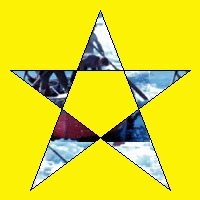 pattern.jpg