| AddImageObject Method | ||

|
||
|
Gets an image from an Image object and adds it to the current page.
|

Syntax
|
|
Params
|
Notes
|
Gets an image from an Image object and adds it to the current page returning the ID of the newly added object. Adds the Selection of the current Frame returning the ID of the newly added object. Images embedded using this method are always inserted using indirect mode. Indirect mode is not as fast as pass-through mode. However, it allows greater flexibility and the use of many different image formats. If the Transparent parameter is set to true, then any transparency information will be preserved. This allows you to add formats such as transparent GIF, PNG with alpha channel, or images with masks set using the Image.SetMask method. The image is scaled to fill the current Rect. It is transformed using the current Transform. If the width or height of the current rectangle is zero, the image is auto-sized. If you are working in TopDown mode, the image is positioned with its top left pinned at the location indicated by the rectangle. If you are not in TopDown mode, the bottom left of the image is pinned at the location indicated by the rectangle. In both cases, the natural dimensions of the supplied image are used to determine the displayed width and height resulting in a 72-dpi output.
|
Example
|
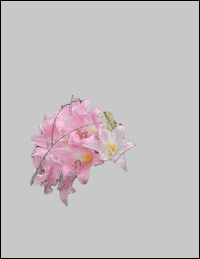
The following code adds a transparent GIF against a gray background.
|