| UseScript Property | ||||||||||

|
||||||||||
|
|

Notes
|
This property applies to all the HTML engines: ABCChrome, ABCGecko, ABCWebKit and MSHTML. This property determines whether JavaScript and VBScript are enabled. By default client-side script such as JavaScript is enabled when rendering HTML documents. You may wish to change this default setting for performance or security reasons. The ABCChrome engine relies on JavaScript for HTML analysis. If you disable it the HtmlOptions.Media, HtmlOptions.AddForms, HtmlOptions.AddTags and HtmlOptions.OnLoadScript will cease to operate. In addition the HtmlOptions.BrowserWidth zero setting, which allows the page autosize behavior, will default to the HtmlOptions.InitialWidth setting. If you have a server edition of Windows (e.g. Windows Server 2008) and are using the MSHTML engine, you may need to also disable Enhanced Security Configuration for user running the program/application pool to allow JavaScript execution. There are some functions and properties that JavaScript inside yourHTML can access. These are specific to the particular HTML engine you are using and are detailed below.. MSHTML Onlybool window.external.ABCpdf_RenderWait() Delays ABCpdf's rendering of the HTML page. Returns true if ABCpdf waits (i.e. the function succeeds), otherwise false. When this function is called before the page load is considered complete, the page load is not considered complete until ABCpdf_RenderComplete is called. This function returns false if ABCpdf_RenderComplete has been called. This is useful if the page relies on timeout/asynchronous events (AJAX). bool window.external.ABCpdf_RenderComplete(bool force) Resumes ABCpdf's rendering of the HTML page. The force parameter determiines whether ABCpdf ignores normal indications of page load completion. If no value is provided the default value is false. The function returns true if ABCpdf resumes rendering as requested (i.e. the function succeeds), otherwise false. This function can be called whether ABCpdf_RenderWait has/has not been called. If force is false, ABCpdf resumes normal rendering. If force is true, ABCpdf starts rendering immediately, ignoring all other indications of page load completion. This function returns false if force is false and the function has been previously called with force true. This is useful if the page relies on timeout/asynchronous events (AJAX).
Doc doc = new Doc();
doc.HtmlOptions.Engine = EngineType.MSHtml;
doc.HtmlOptions.UseScript = true;

// Render after 3 seconds
doc.HtmlOptions.OnLoadScript = "(function(){"
  + " window.external.ABCpdf_RenderWait();"
  + " setTimeout(function(){ window.external.ABCpdf_RenderComplete(); }, 3000);"
  + "})();";

doc.AddImageUrl("http://www.websupergoo.com");
doc.Save(Server.MapPath("wsg.pdf"));
ABCGecko Onlybool window.ABCpdf_go This property controls whether ABCpdf will proceed to render the HTML page. By default this will occur but you can delay rendering by setting it to false. UseScript has to be true and OnLoadScript has to be non-empty for this property to be effectual. ABCpdf will wait for this property to be either undefined or true before rendering the HTML page. The whole HTML rendering operation is still subject to the Timeout property's value. Usually, this property is set to false in OnLoadScript and is also set to true in an event listener added in OnLoadScript. If assignments to this property are provided in both OnLoadScript and the script in the web page, please refer to the notes in OnLoadScript for the order of execution.
Doc doc = new Doc();
doc.HtmlOptions.Engine = EngineType.Gecko;
doc.HtmlOptions.UseScript = true;

// Render after 3 seconds
doc.HtmlOptions.OnLoadScript = "(function(){"
  + " window.ABCpdf_go = false;"
  + " setTimeout(function(){ window.ABCpdf_go = true; }, 3000);"
  + "})();";

doc.AddImageUrl("http://www.websupergoo.com");
doc.Save(Server.MapPath("wsg.pdf"));
ABCChrome Onlyvoid ABCChromeExt.Render() Triggers immediate conversion of the HTML page. Calling the method ABCChromeExt.Render() in any JavaScript executed within an HTML page will force the immediate rendering of the page to PDF without delay. This option cannot be used in HtmlOptions.OnLoadScript - no error will occur but processing will not be curtailed. You will need to set a sensible value for HtmlOptions.RepaintDelay to allow processing to continue past the OnLoad event.
|
Example
|
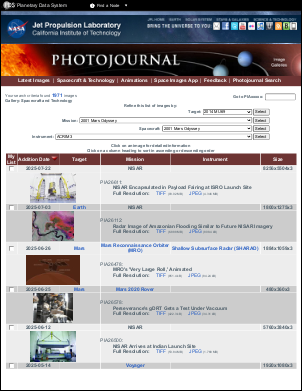
The following example shows one method of crawling and transferring an entire site to PDF. Here, we use JavaScript to determine the links present on the page. However, you could equally well use the HtmlCallback to do the same thing.
using var doc = new Doc();
string uri = "https://photojournal.jpl.nasa.gov/gallery/snt";
// Set HTML options
doc.HtmlOptions.AddLinks = true;
doc.HtmlOptions.UseScript = true;
doc.HtmlOptions.PageCacheEnabled = false;
// JavaScript is used to extract all links from the page
doc.HtmlOptions.OnLoadScript = "var hrefCollection = document.all ? document.all.tags(\"a\") : document.getElementsByTagName(\"a\");" +
  "var allLinks = \"\";" +
  "for(i = 0; i < hrefCollection.length; ++i) {" +
  "if (i > 0)" +
  "  allLinks += \",\";" +
  "allLinks += hrefCollection.item(i).href;" +
  "};" +
  "document.documentElement.abcpdf = allLinks;";
// Array of links - start with base URL
var links = new ArrayList();
links.Add(uri);
for (int i = 0; i < links.Count; i++) {
  // Stop if we render more than 20 pages
  if (doc.PageCount > 20)
    break;
  // Add page
  doc.Page = doc.AddPage();
  int id = doc.AddImageUrl(links[i] as string);
  // Links from the rendered page
  string allLinks = doc.HtmlOptions.GetScriptReturn(id);
  string[] newLinks = allLinks.Split([ ',' ]);
  foreach (string link in newLinks) {
    // Check to see if we allready rendered this page
    if (links.BinarySearch(link) < 0) {
      // Skip links inside the page
      int pos = link.IndexOf("#");
      if (!(pos > 0 && links.BinarySearch(link.Substring(0, pos)) >= 0)) {
        if (link.StartsWith(uri)) {
          links.Add(link);
        }
      }
    }
  }
  // Add other pages
  while (true) {
    doc.FrameRect();
    if (!doc.Chainable(id))
      break;
    doc.Page = doc.AddPage();
    id = doc.AddImageToChain(id);
  }
}
// Link pages together
doc.HtmlOptions.LinkPages();
// Save the document
doc.Save("HtmlOptionsJavaScript.pdf");
Also see example code in: ABCpdf Paged HTML Example.
|